
Santa Says Hello
A friendly wave and a magical goodbye.
Try this templateTurn a doorbell camera screenshot, peephole photo, or front porch photo into a magical Santa video. Watch Santa wave, deliver a Christmas gift, or disappear in sparkling Christmas magic.
Create My Doorbell VideoNo actual doorbell camera required.
Start with a photo of your home entrance.
Use a clear photo without people, with enough room for Santa to stand or move.
See entrance photo tipsYour photo isn't publicly displayed. Learn how we handle your photos.
Explore different ways Santa can visit your doorstep. Choose your favorite Christmas moment and recreate it using a photo of your own home.
A friendly wave and a magical goodbye.
Try this templateA Christmas delivery with a present left behind.
Try this templateA playful shush and a magical disappearance.
Try this templateA Christmas list check and a cheerful thumbs-up.
Try this templateAll videos are AI-generated examples created using our tools and demo entrance photos.
Explore More Santa VideosYes. Start with a clear still image of your entrance and choose what Santa does at your door.
Pick a Santa action and video style for your Christmas surprise.
Use a doorbell screenshot, peephole photo, or front porch photo.
Sign in to create your AI Santa video, then download it and share the Christmas surprise.
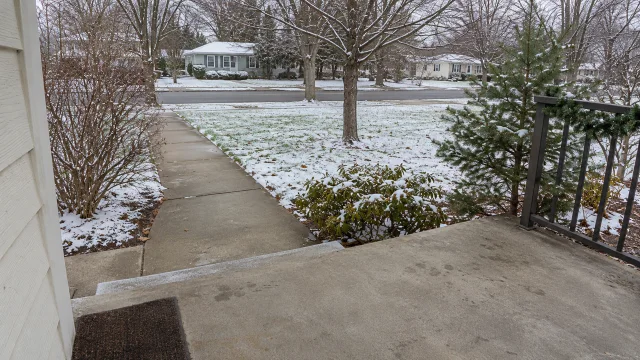
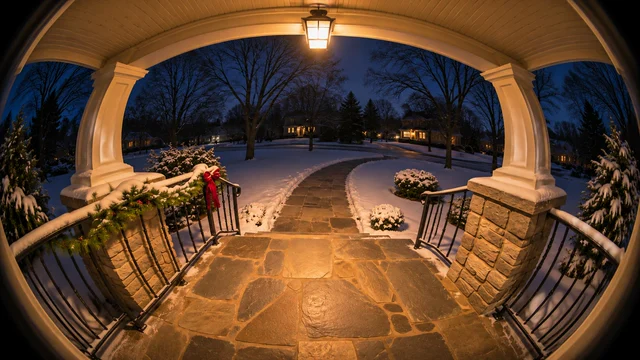
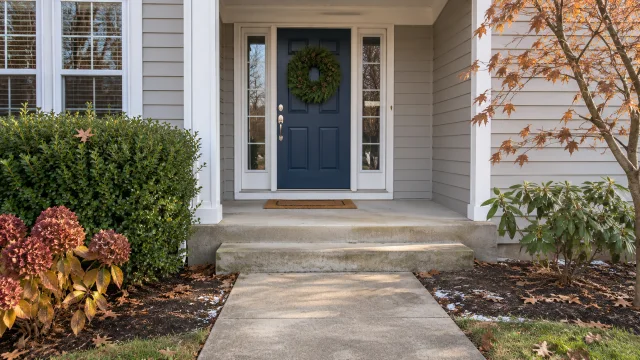
These AI-generated demo images show what you can upload.
The front door does not need to be visible in your photo.
You don’t need a Ring camera or any other smart doorbell. Simply take a clear photo of your front door, porch, or outdoor entrance with your phone.
Already have a doorbell camera? Upload a still screenshot instead.
To show Santa standing outside your door and waving, start with Santa Says Hello.
Upload a clear photo or screenshot of your entrance. Choose Santa Says Hello to make it look like Santa visited your doorstep and waved at the camera. The template does not include a doorbell press or chime.
Save one clear still frame you have permission to use and upload it as an image. The generator uses that still image to create a new AI video. It only accepts images as input, and you can upload a screenshot without connecting your Ring account.
No. A clear phone photo of your porch, front door or outdoor entrance works too.
Yes. You can use a daytime or nighttime photo. Choose an image where the walkway and standing area are easy to see.
No. A doorbell camera often faces away from the door. A visible path or an open place for Santa to stand is what matters.
No. It’s an AI-generated Christmas video made from your uploaded photo for holiday entertainment.
Yes. Take a clear photo of your entrance and leave a visible area for Santa to stand or walk.
Yes. Choose Santa Delivers a Gift to create an AI scene of Santa leaving a wrapped Christmas present at your entrance.
AI Santa Video is independent of Ring and other doorbell camera brands.