
Santa Visits My Home
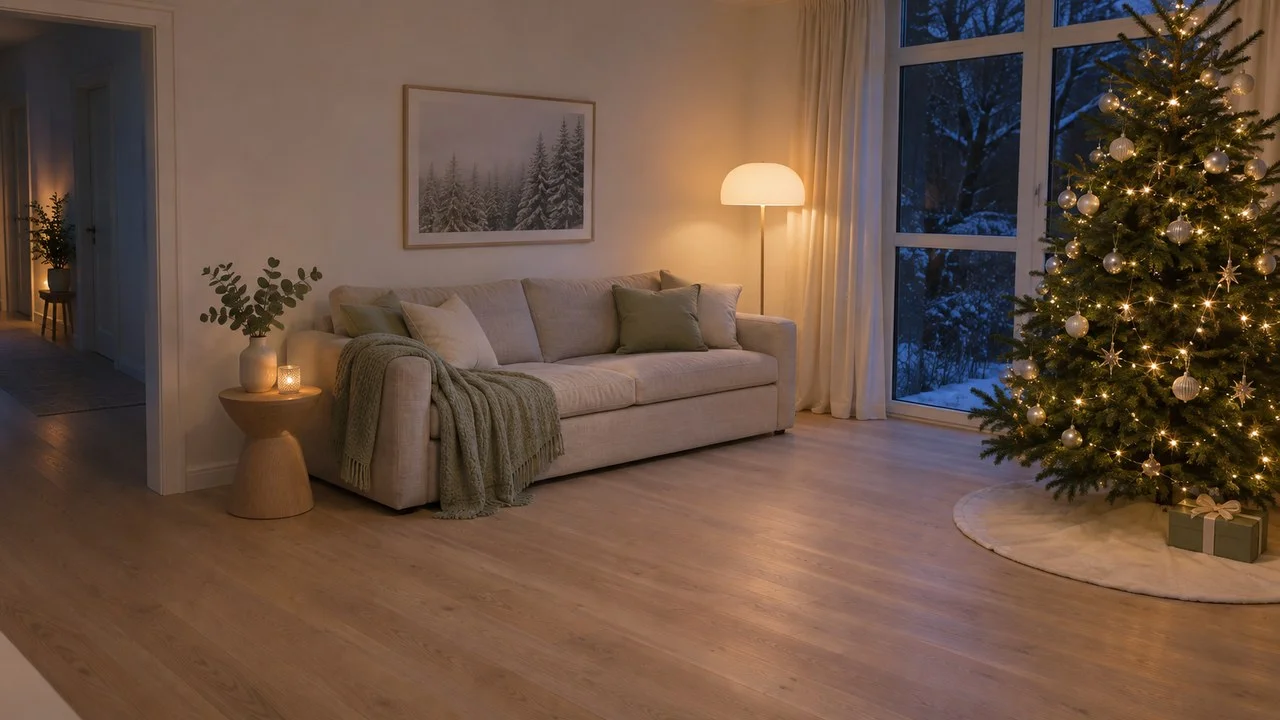
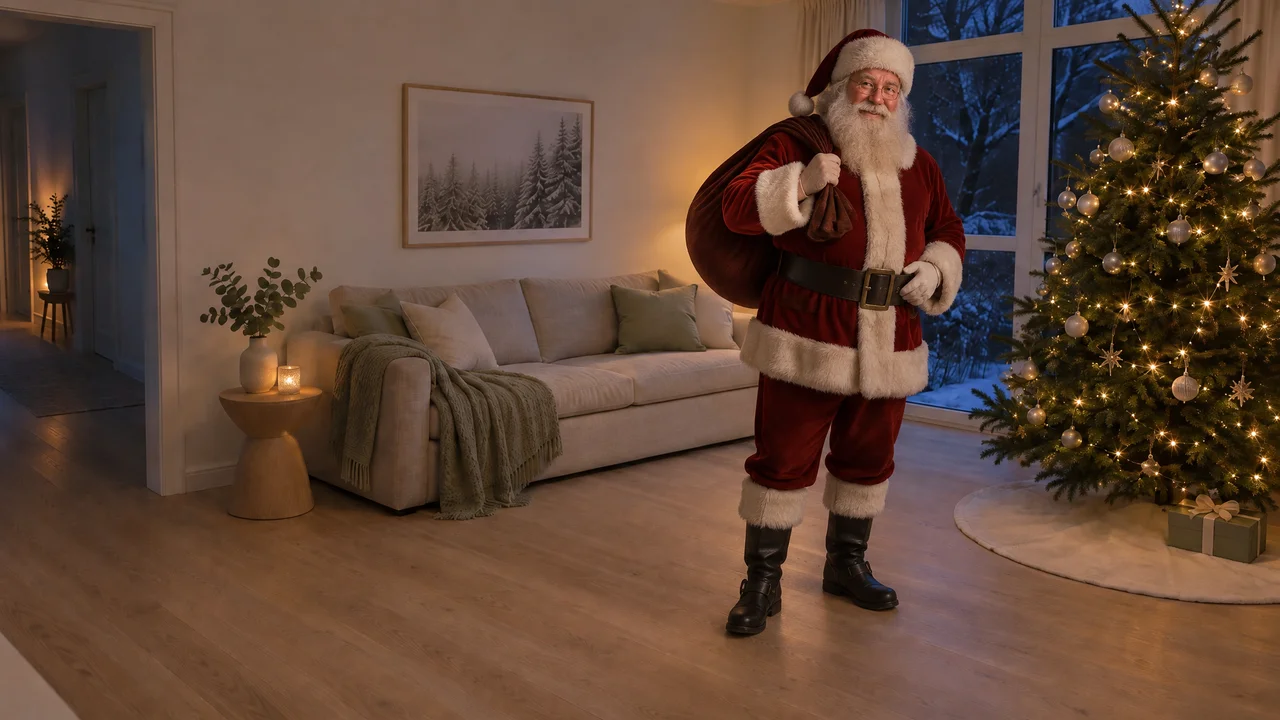
Santa appears beside the Christmas tree, with lighting that matches the room.
Source image created with AI for this demo.
See what it might look like if Santa stopped by your living room, or add him to a group photo.
See example photos Sign in to create 3 free Santa photos every 24 hours.
Step 1 of 3 · Upload
JPG, PNG or WebP · Up to 10 MB
Use a room photo without people or a group photo with open space beside everyone.
Only upload a photo you have permission to use. How we handle your photos.
See how the tool adds Santa to an empty room or a group photo.
Santa appears beside the Christmas tree, with lighting that matches the room.
Source image created with AI for this demo.
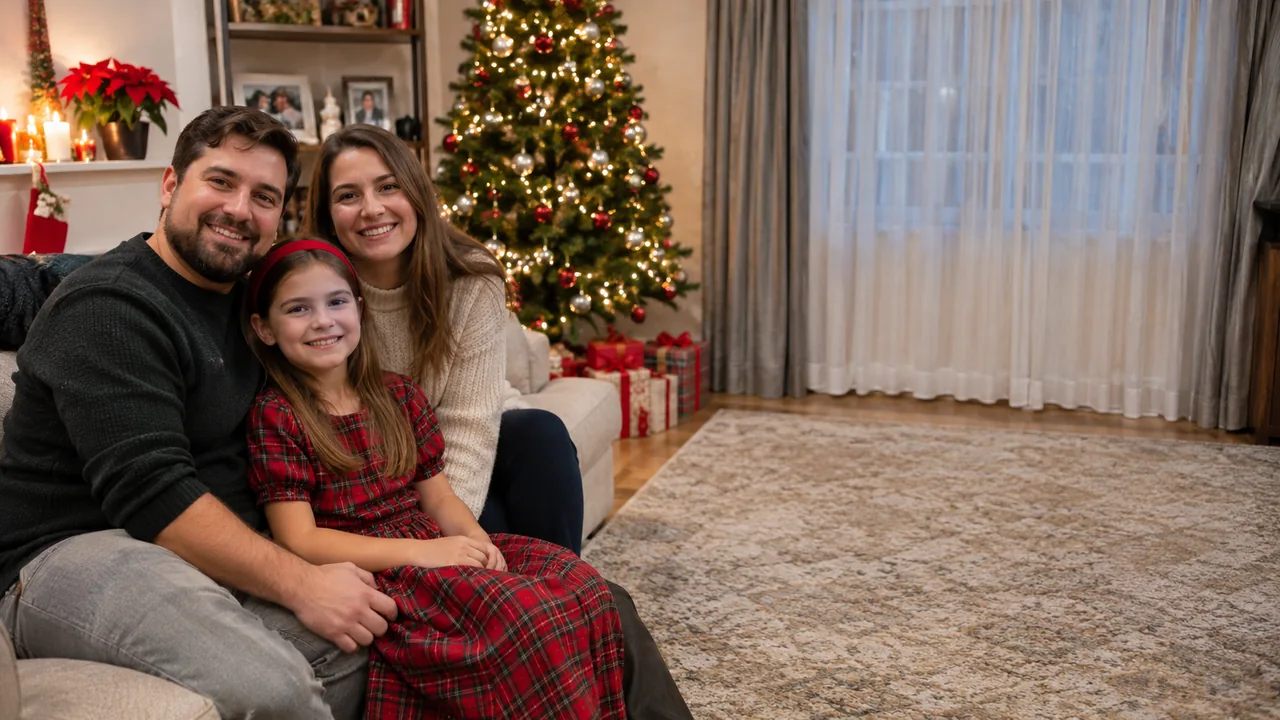
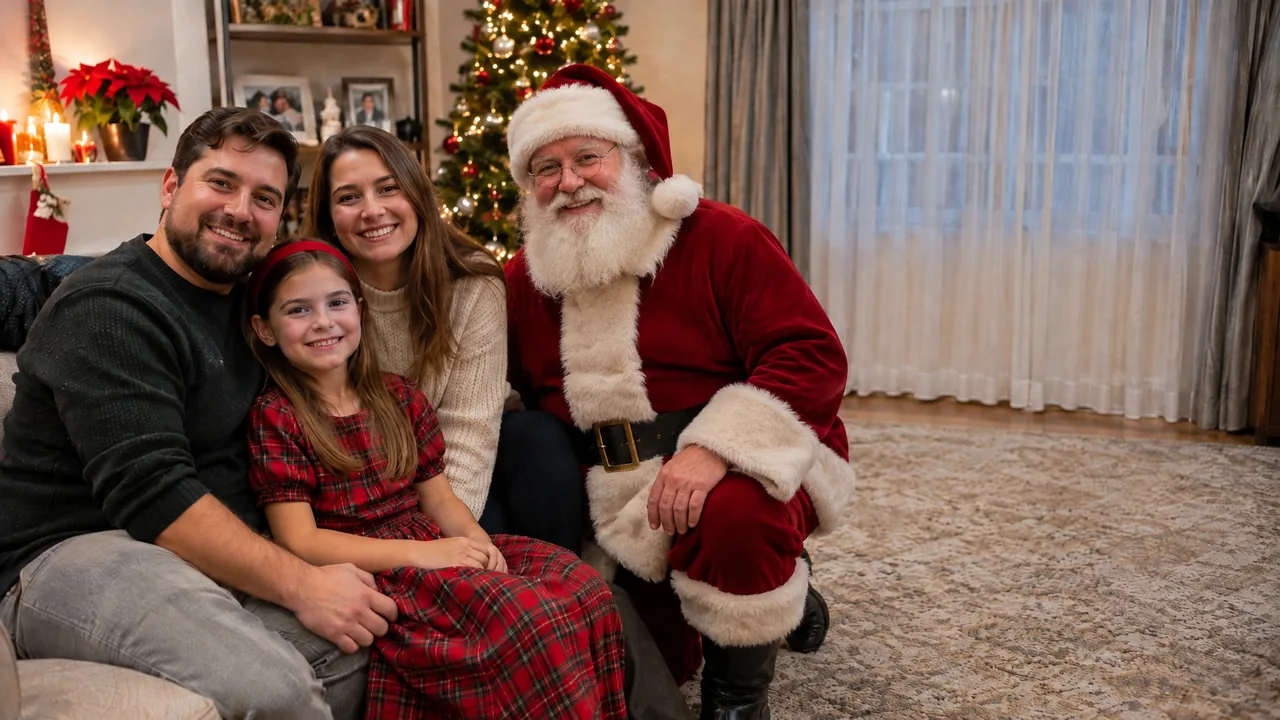
Santa joins a family of three beside their Christmas tree. The original group photo was AI-generated for this demo.
Upload your picture and add Santa online without Photoshop or other editing software.
Sign in and choose a clear room or group photo with space for Santa.
Choose a Santa visit for a room photo or place Santa beside the people in a group photo.
Preview the result, then save your Santa photo for free without a watermark.
Start with a clear shot of a living room, fireplace, or Christmas tree. Give Santa enough room to stand and keep the original lighting easy to see.
See photo and video examples in Santa in My House.
Read the room photo guideShow some open floor beside the tree or fireplace. An uncropped view makes it easier for Santa to fit.
Daytime and nighttime photos both work. Even at night, keep enough light to see the floor and furniture.
Hold your camera steady and avoid extreme wide angles. For a room photo, keep people out of the frame. For a group photo, leave space beside everyone.
A Santa photo can show him beside the tree or presents. To see him set down a gift, use your original room photo with the Santa Leaves a Gift video template.
Create a Santa Visit VideoVideos use our separate paid workflow. See video pricing.
Yes. Each signed-in account can make up to three successful Santa photos in a rolling 24-hour period. Downloads are free and have no watermark.
You can browse the examples without an account. Sign in to create your own photo and see your remaining free photos.
Yes. Pick a clear JPG, PNG, or WebP photo of your living room, fireplace, or Christmas tree with enough open space for Santa. See the living-room example or try it with your own photo. You can download it for free without a watermark.
Yes. Choose Photo With Santa and use a photo with 2 to 20 visible people and enough open space beside the group. Preview your generated photo before downloading.
Both work if the room is clearly visible. The generator aims to match the original light, so a bright afternoon still looks like daytime and a room lit by the tree can stay cozy at night.
Yes. Select Download Photo when your result is ready. The tool shows when your result will expire, so save it before then.
You can reuse your original room photo in the paid Santa Caught on Camera video tool. The video generates a new Santa visit from the room photo, so Santa’s appearance can differ.
Uploads and results are private. Only your account can request download links. We use your photo to produce your result. Read our Privacy Policy for details on processing and retention.